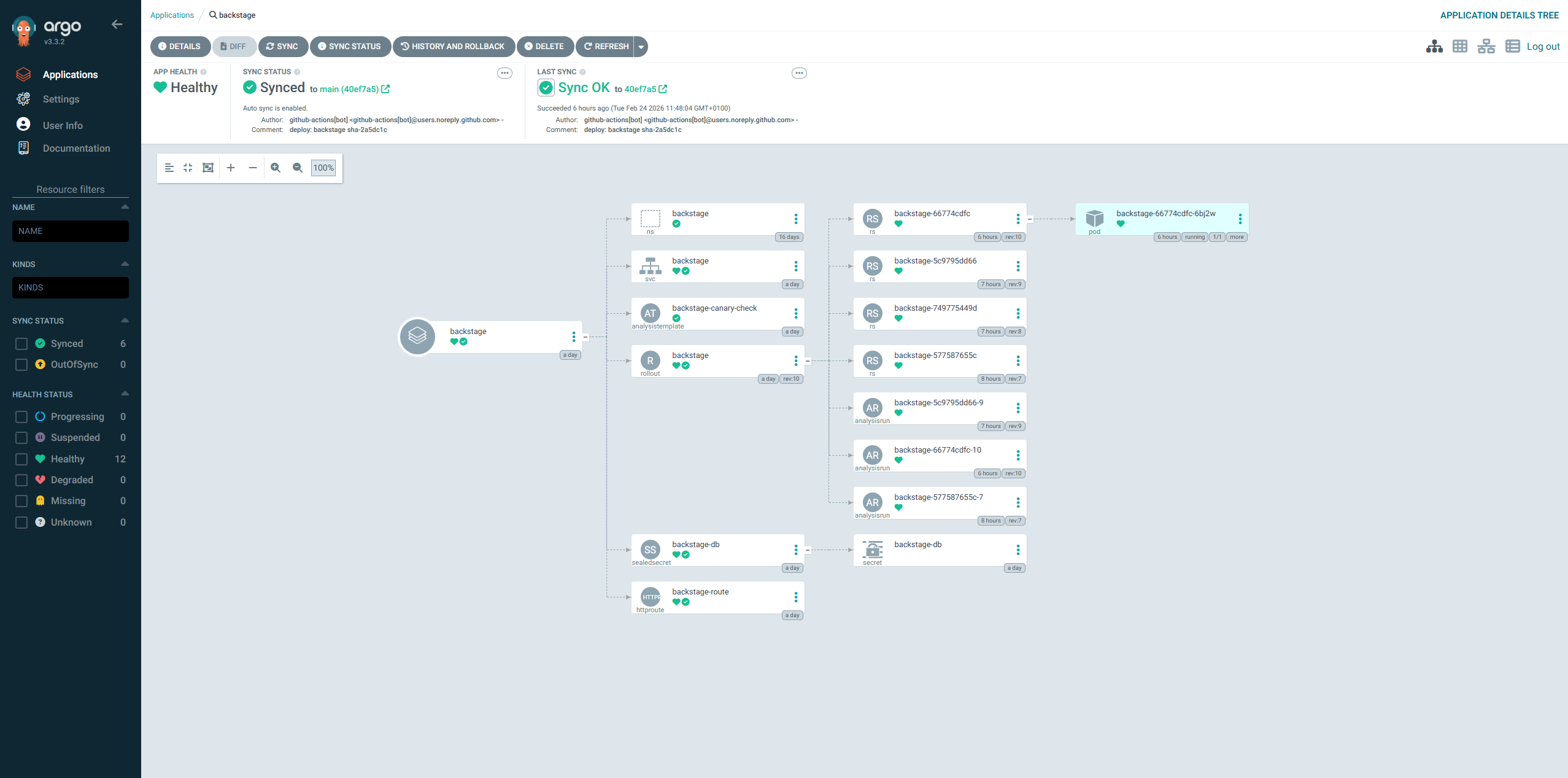
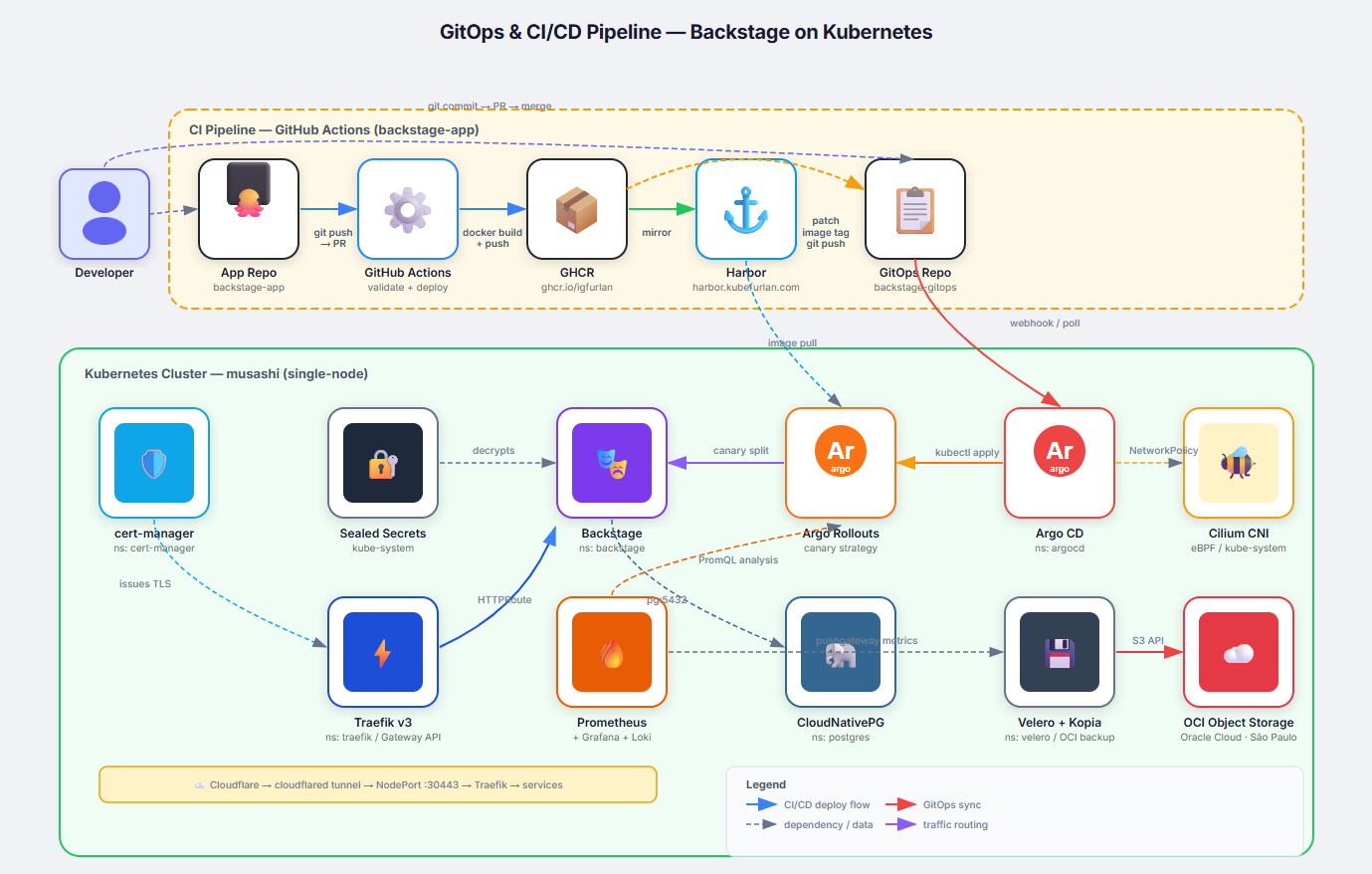
GitOps is the operational model where Git is the single source of truth for both application and infrastructure state. Every change to a running system is made through a Git commit — never by running kubectl apply directly against the cluster. The cluster continuously reconciles its actual state against the desired state declared in Git.
This setup implements GitOps for the Backstage Internal Developer Portal, using a two-repository pattern, ArgoCD for continuous deployment, GitHub Actions for CI, and Argo Rollouts for safe progressive delivery.
This separation is intentional: it decouples the application lifecycle (builds, tests) from the deployment lifecycle (manifest changes, environment promotions). ArgoCD only watches the GitOps repo — it never has access to the application source code.
│ └── sealed-secret.yaml # Encrypted DB credentials
└── overlays/
└── production/
├── kustomization.yaml # Extends base
└── patches/
└── resources.yaml # Image tag + resource limits patch
The base/ layer defines the universal configuration. The production/ overlay applies environment-specific patches — most importantly, the container image tag, which is updated automatically by the CI pipeline on every successful push to main.
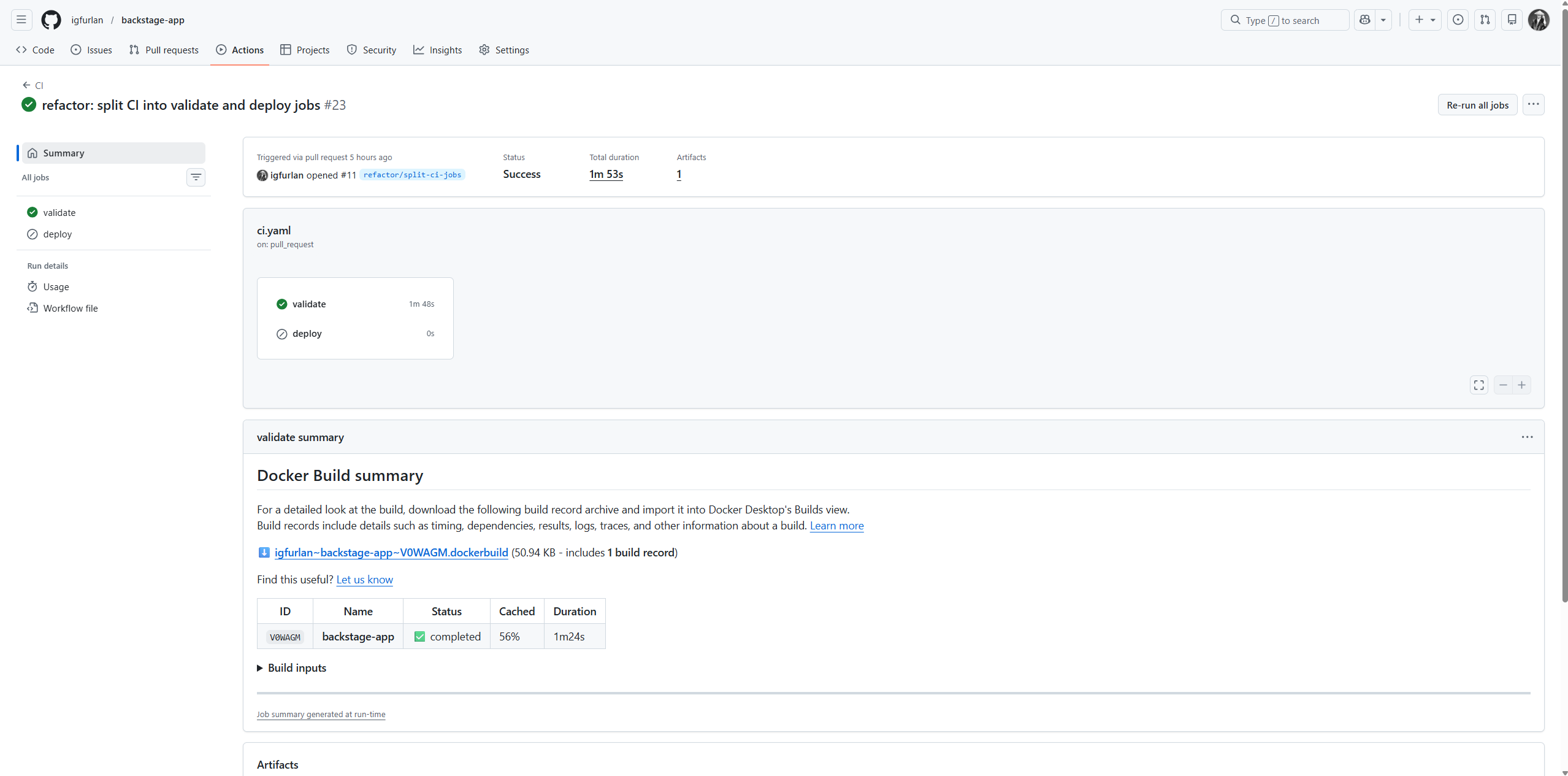
Triggered when a PR is opened against main. Builds the Docker image using BuildKit cache but does not push it. This validates that the Dockerfile is correct and the build succeeds without spending registry storage.
Steps:
Checkout code
Set up Docker Buildx
Log in to GitHub Container Registry (GHCR)
Build image (no push) — uses GitHub Actions cache (type=gha)
Job: deploy
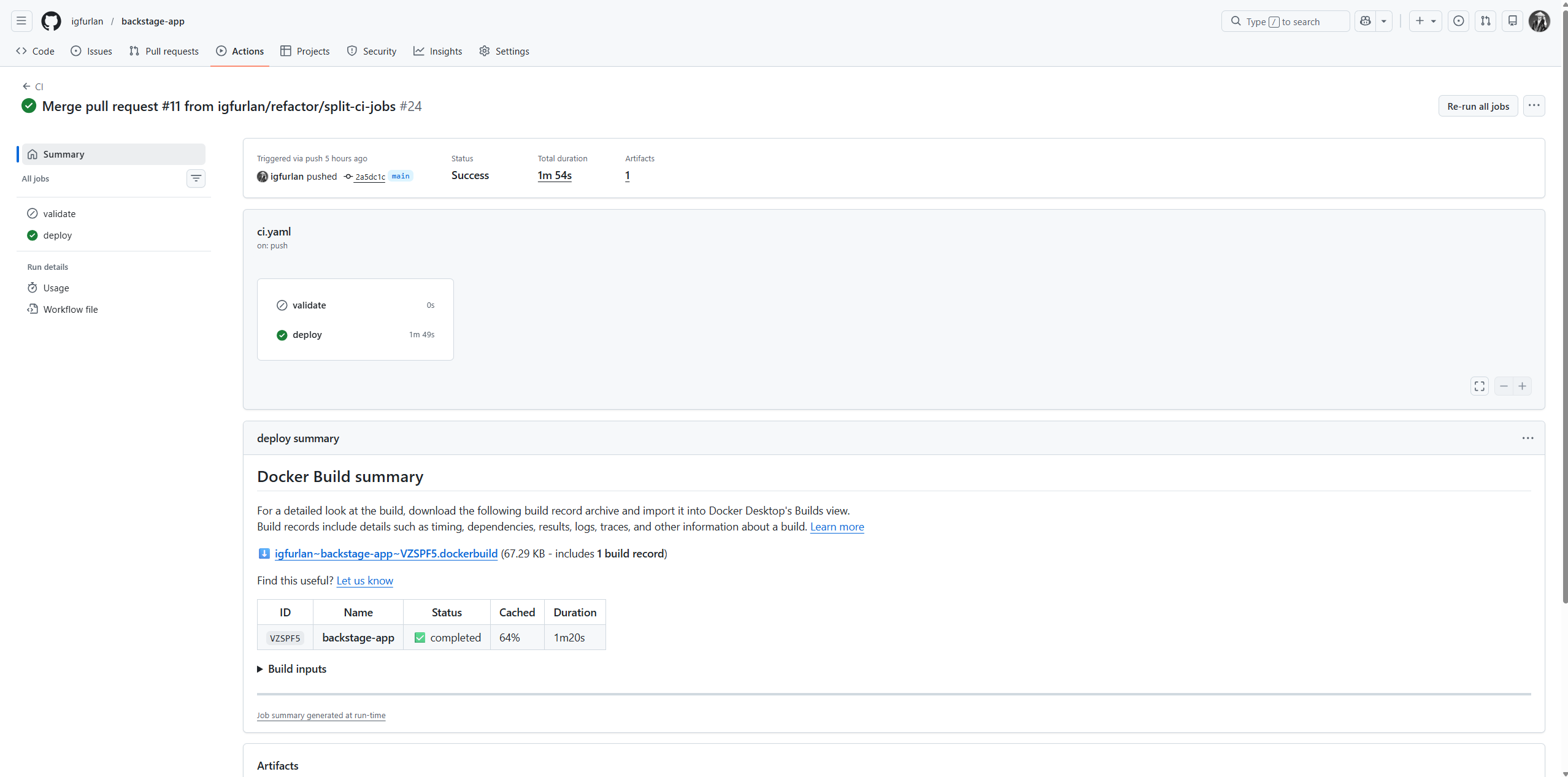
Triggered when a commit is merged to main. This is the full deployment pipeline.
Steps:
Checkout application code
Set up Docker Buildx
Log in to GHCR
Extract short Git SHA (git rev-parse --short HEAD)
Build and push image with two tags:
ghcr.io/igfurlan/backstage:sha-<shortsha> (immutable, for rollback)
ghcr.io/igfurlan/backstage:latest (floating, for local dev)
Checkout backstage-gitops repo (using a GITOPS_PAT secret)
Patch the image tag in overlays/production/patches/resources.yaml
Commit and push: "deploy: backstage sha-<shortsha>"
The pipeline uses GitHub Actions cache (type=gha) for Docker layer caching. Build times drop significantly after the first run because unchanged layers are reused from the cache.
# Image tag update step (from ci.yaml)
- name: Update image tag
run: |
cd gitops
sed -i "s|value: ghcr.io/igfurlan/backstage:sha-.*|\
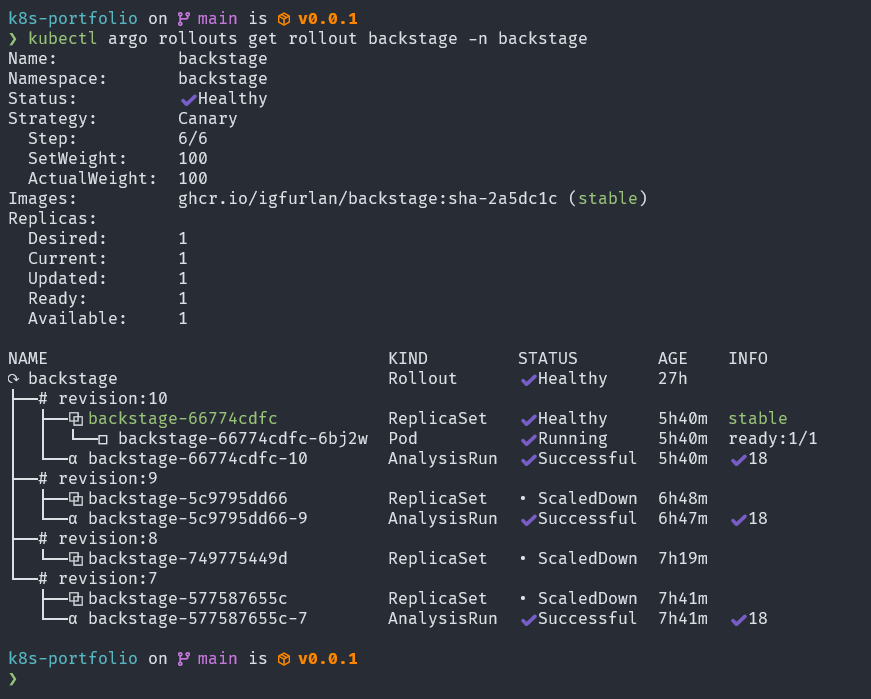
Instead of a standard Kubernetes Deployment, Backstage uses an Argo Rollout resource. This enables canary deployments — gradually shifting traffic to the new version while monitoring error rates and latency in real time.
The canary strategy is defined in base/rollout.yaml:
strategy:
canary:
analysis:
templates:
- templateName: backstage-canary-check
startingStep: 1
steps:
- setWeight: 20# 20% of traffic to new version
- pause: { duration: 60s }
- setWeight: 50# 50% of traffic
- pause: { duration: 60s }
- setWeight: 80# 80% of traffic
- pause: { duration: 30s }
# Full 100% promotion happens automatically if analysis passes
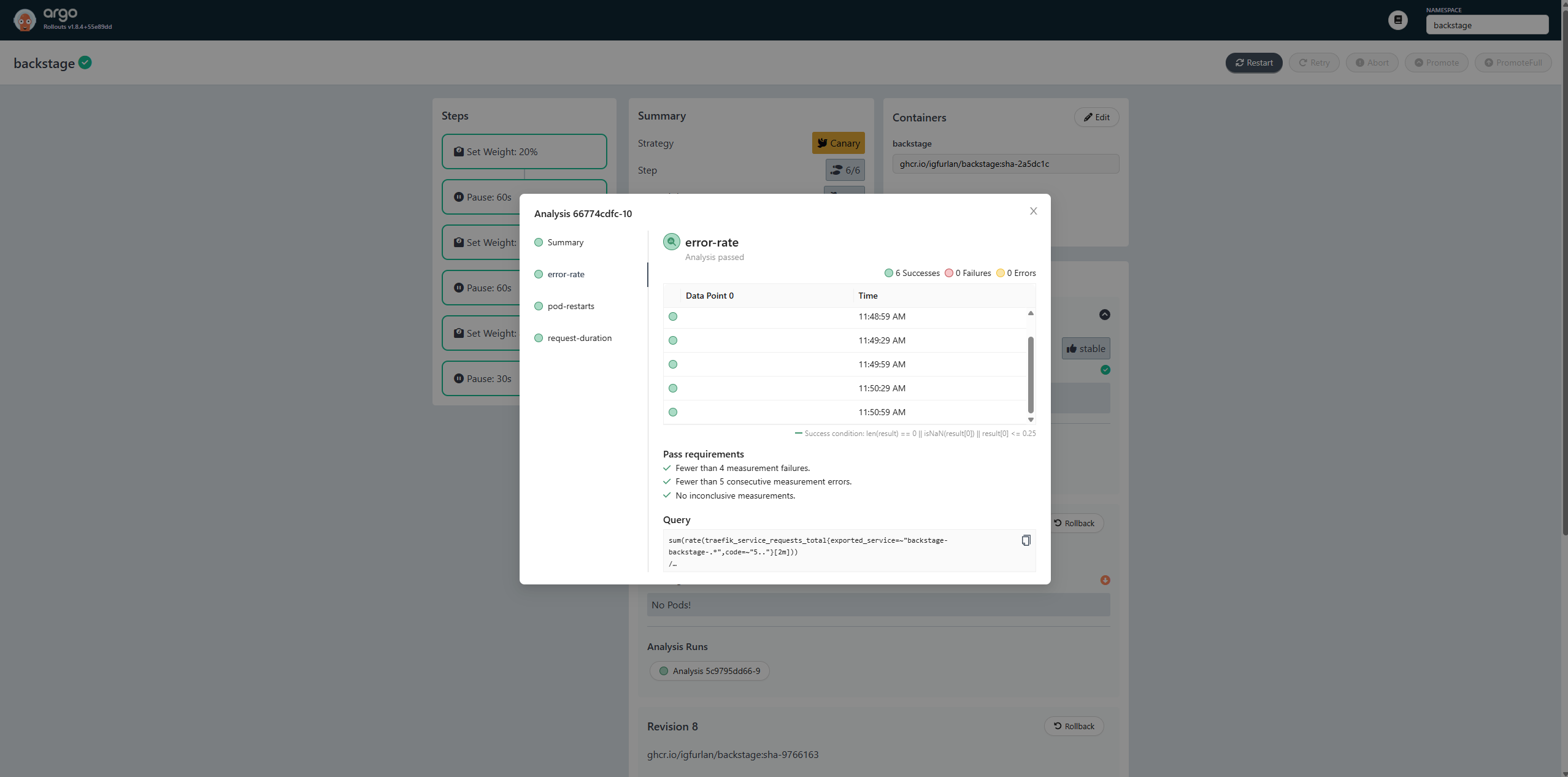
The rollout progresses through 3 traffic weight stages, pausing at each to observe metrics. At step 1, an AnalysisRun begins and runs continuously throughout the rollout.
The AnalysisTemplate (backstage-canary-check) queries Prometheus at 30-second intervals throughout the canary rollout. Three metrics are evaluated:
Error Rate
Metric: HTTP 5xx error rate on Traefik service requests
Query:sum(rate(traefik_service_requests_total{...code=~"5.."}[2m])) / sum(rate(...))Threshold: ≤ 25% error rate (result[0] <= 0.25)
Failure limit: 3 consecutive failures before rollback
p95 Latency
Metric: 95th percentile request duration via Traefik histogram
Query:histogram_quantile(0.95, sum(rate(traefik_service_request_duration_seconds_bucket{...}[2m])) by (le))Threshold: ≤ 5 seconds
Failure limit: 3 consecutive failures before rollback
Pod Restarts
Metric: Container restart count increase in the backstage namespace
Query:sum(increase(kube_pod_container_status_restarts_total{namespace="backstage",...}[2m]))Threshold: < 2 restarts
Failure limit: 2 consecutive failures before rollback
If any metric exceeds its threshold too many times, the AnalysisRun fails and Argo Rollouts automatically rolls back to the previous stable version — without any human intervention.
This integration closes the loop between the observability stack (Prometheus + Traefik metrics) and the deployment pipeline, creating a true automated feedback loop.
Storing Kubernetes secrets in Git is normally a security anti-pattern — secrets would be visible to anyone with repository access. Sealed Secrets (by Bitnami) solves this by allowing secrets to be encrypted before being committed to Git.
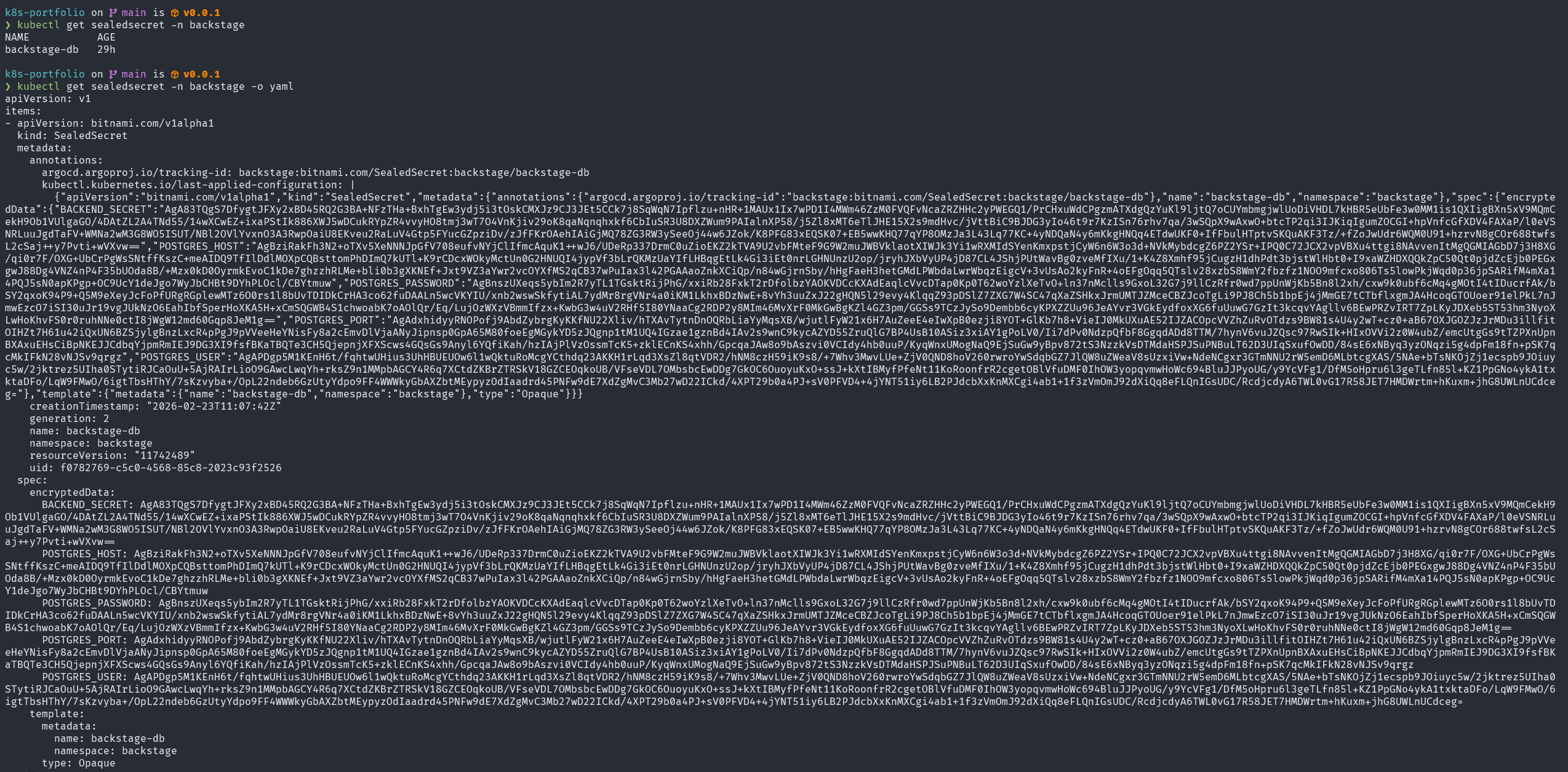
The backstage database credentials (POSTGRES_HOST, POSTGRES_USER, POSTGRES_PASSWORD, POSTGRES_PORT, BACKEND_SECRET) are stored as a SealedSecret resource in base/sealed-secret.yaml.
The workflow:
Create a plain Kubernetes Secret locally (never committed)
Encrypt it with kubeseal, using the cluster’s public key: kubeseal --format yaml < secret.yaml > sealed-secret.yaml
Commit the SealedSecret YAML to Git (safe — it’s ciphertext)
When ArgoCD applies it, the sealed-secrets-controller decrypts it and creates the real Secret in the cluster
The sealed data can only be decrypted by the cluster that holds the corresponding private key. Even if the GitOps repository is public, the encrypted secrets are worthless to an attacker without access to the cluster.